The bank account must belong to the person or company named in the service contract signed with Beeping
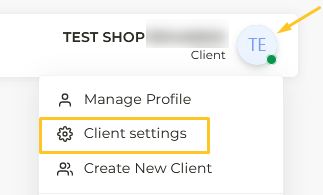
In order to add your banking information you have to go to Client Settings:
Within this section, go to Payment Methods:
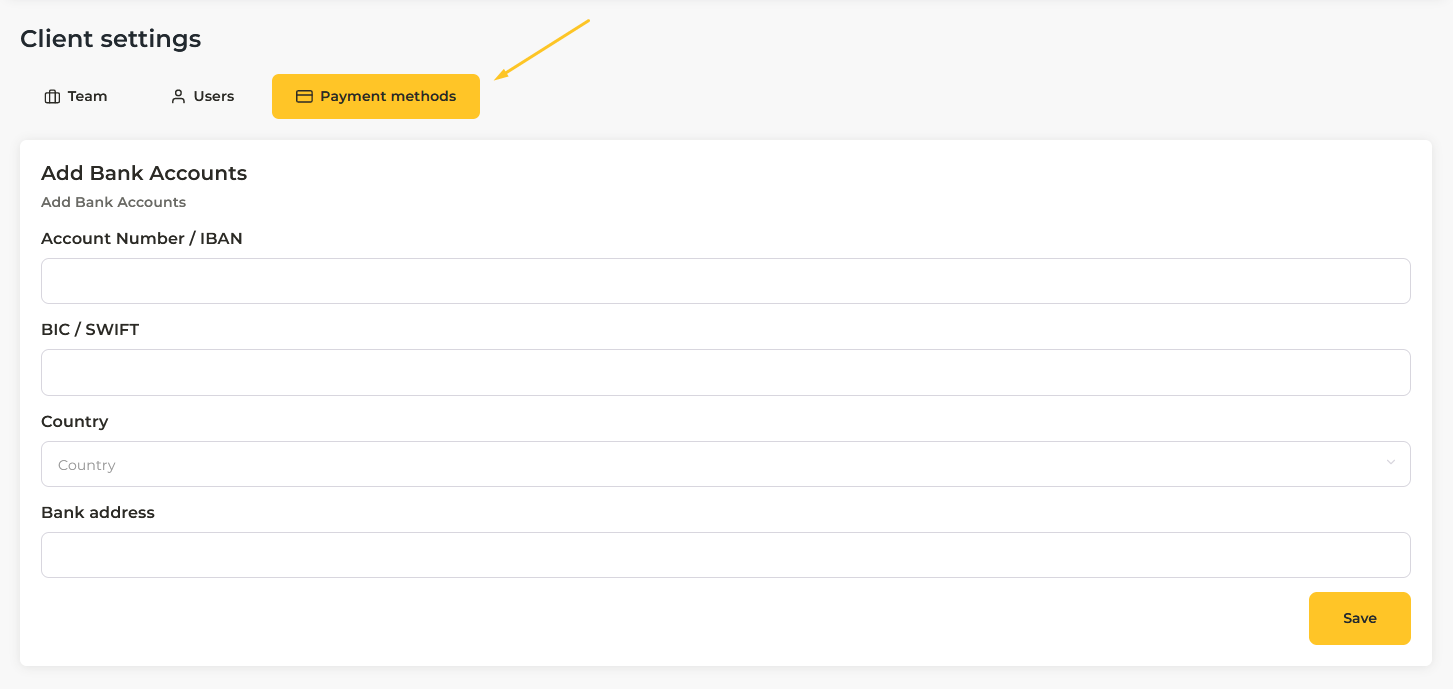
You must fill in the fields.
Note: The address and country to be filled in is the one registered in the bank account, not the customer's tax address.
IMPORTANT: To complete the linking of your new bank account and enable balance withdrawals, it is essential to send a certificate of ownership to the verification team at the following address: accounting@gobeeping.com
This verification process requires a maximum of 24 business hours. Once the certificate has been verified and approved, the withdrawal feature will be activated in your profile wallet.